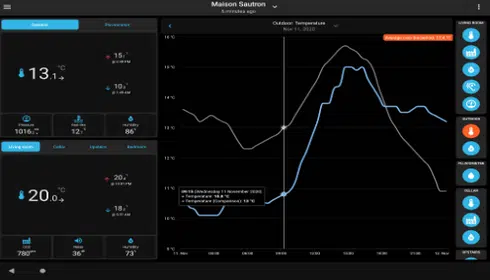
🌦️ PWS Dashboard – a flexible and modern way to display weather data online. With PWS_Dashboard, you get easy access to up-to-date weather readings. In fact, PWS_Dashboard lets you view all the information directly from your own weather station.
PWS Dashboard is a PHP-based web template that makes it easy to display real-time weather information from your own weather station on the Internet. The solution is both easy to set up and highly flexible, and it supports a wide range of weather software and data sources. Furthermore, PWS Dashboard can be customized to meet various needs when displaying local weather data.
💡 Why use the PWS Dashboard?
- – Modern and responsive design – works on mobile, tablet, and PC
- – Rich functionality – graphs, history, alerts, sun/moon info, webcam support, and much more
- – Support for many data sources – WeatherDisplay, Cumulus, Weather Underground, Ecowitt, Davis, and others.
- – Actively developed – regular updates and a large user community
- – Easy to customize – colors, modules, languages, and layouts can be adjusted as needed
🔌 How the PWS Dashboard Gets Its Data
A common setup is:
WeatherDisplay → clientraw.txt → PWS Dashboard. For many users, PWS_Dashboard is the key to collecting and displaying data from their personal weather stations.
WeatherDisplay generates the file clientraw.txt, which contains real-time data from the weather station. PWS Dashboard reads this file and automatically updates the website. PWS_Dashboard does this completely seamlessly and continuously updates the weather data.
Other supported sources include:
- – Weather Underground API
- – Ecowitt API / Ecowitt JSON
- – Davis WeatherLink Live / Local API
- – Cumulus MX
- – Meteobridge
- – WeeWX
📚 More information and download
Official website: http://pwsdashboard.com/